
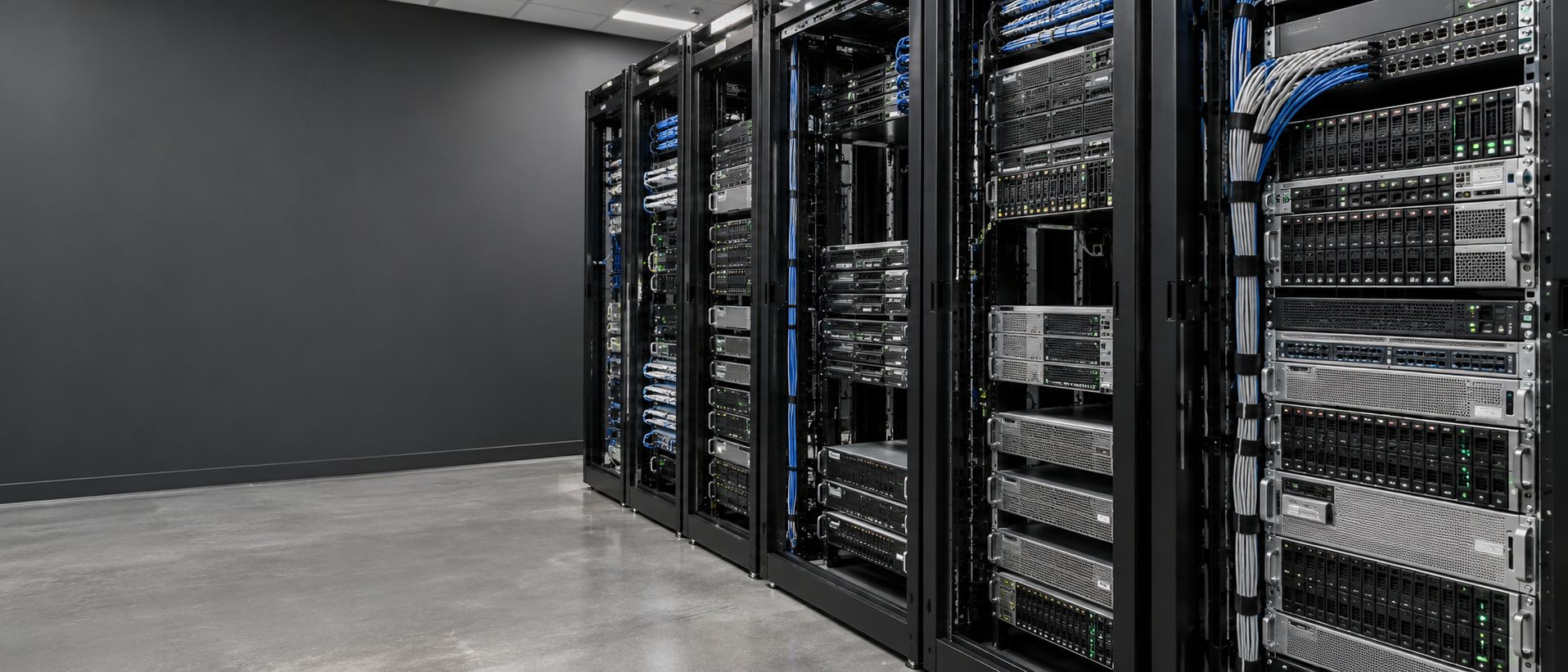
Verified server foundation / more-powerful build options
Dedicated Server Hosting
Start with the server resources I already use for my hosting. When your work needs more CPU, memory or storage, I will quote a build that moves you forward.
Checked directly on my server / October 15, 2026
The managed hosting foundation I already use.
These are the verified resources of my current physical hosting server. They set the reference point for new server-build requests.
| Resource | Verified current hosting server | New managed VPS build request |
|---|---|---|
| RAM | 32 GB installed | 32 GB or more |
| CPU | Two Xeon E5620 processors at 2.40 GHz 8 physical cores / 16 threads | 16 vCPUs or more requested; processor generation and workload performance reviewed |
| Storage | Two 1 TB Samsung 870 EVO SSDs, mirrored (RAID 1) Roughly 1 TB usable before system overhead | 1 TB or more SSD-backed storage; redundancy confirmed in the quote |
| Connection | 1Gbps negotiated network link | 1Gbps connection or higher, confirmed with the provider |
| Bandwidth | Transfer allowance comes from the hosting agreement | Allowance, including unmetered service where supplied, stated in the quote |
| Operating system | AlmaLinux 9.8 with Plesk | Managed Linux or Windows, with licensing confirmed |
| Management | Dean's managed hosting environment | 100% managed VPS administration by Dean |
These are whole-host totals. Included website hosting uses shared server resources. It does not allocate this entire machine to every website. A separate VPS receives the CPU, RAM and storage specifically written into its quote. Physical threads and virtual CPUs are different resource types; the workload must be checked as well.
The SSD mirroring. Mirroring provides drive redundancy; backups are a separate part of the plan. Link speed does not establish an account's transfer allowance.
Three larger hardware candidates
Dedicated upgrade build options
These candidates retain at least 32 GB RAM and offer more CPU clock speed, cores or storage capacity. A configured upgrade must also preserve SSD storage and suitable redundancy. I confirm those details before quoting the full build.
| Dual Intel processor | Cores / threads | RAM | Base storage | Starting hardware rate | Build |
|---|---|---|---|---|---|
| Dual Xeon X5687 upgrade review3.60 GHz | 8 / 16 | 32 GB | 2 TB base capacitySSD and mirroring must be confirmed | $211.90/month, before configuration | Request upgrade quote |
| Dual Xeon X5680 upgrade review3.33 GHz | 12 / 24 | 32 GB | 2 TB base capacitySSD and mirroring must be confirmed | $240.50/month, before configuration | Request upgrade quote |
| Dual Xeon E5-2665 upgrade review2.40 GHz | 16 / 32 | 32 GB | 2 TB base capacitySSD and mirroring must be confirmed | $309.40/month, before configuration | Request upgrade quote |
The provider lists 2 TB capacity for these base models without specifying SSDs or RAID in that listing. Dean's starting hardware rate is a reference, not the final price of an SSD-mirrored managed upgrade. Only a confirmed configuration that meets the baseline will be offered.
Listed connectivity: 1Gbps port, unmetered transfer, five IPv4 addresses and an IPv6 /64. These configurations do not list a GPU.
Dean's starting server-service rates, updated October 15, 2026. Infrastructure arranged through Sectorlink. USD per month. Availability, licenses, upgrades, custom setup and ongoing workload management are confirmed before ordering.
When the workload needs more
Options for more power.
More memory
Request more than the 32 GB baseline for larger databases, more users or memory-heavy applications.
Quote more RAMMore CPU capacity
Request additional CPU allocation or a newer processor, then check the real workload before choosing it.
Quote more CPUMore SSD storage
Request greater SSD capacity, NVMe where appropriate, and the redundancy and backup plan the business needs.
Quote more storagePut the hardware to work
A server rental is the starting point.
Websites and applications
I look at the site, database, forms, and background work together. Moving a slow application onto a bigger machine may leave the actual problem in place.
Database and office workloads
Memory, storage and backup needs can matter more than the number of cores. We size around the data and the people who need it.
A.I. and special workloads
Local model hosting, GPU jobs and heavy processing need a separate hardware review. The CPU configurations above are not a promise of GPU A.I. performance.
Keep the build practical
Work first. Hardware second.
- Tell me the job.
What should the server run, who uses it, and what is slowing the business down?
- Choose the resources.
Match processor, memory, storage, operating system, and any GPU to that job.
- Agree on the whole cost.
Separate the server, setup work, software, and ongoing service before the build starts.
- Build and check it.
Set up the workload, check access and backups, and test the real task before handoff.
Straight answers
Before you choose a server
What does the monthly base price cover?
The listed server configuration. Dean confirms the operating system, licensing, storage choices, setup work, and application management in the proposal.
Who runs the data center?
Server infrastructure is arranged through Sectorlink. Dean handles the business workload plan and the custom work agreed with you.
Can you move my current sites?
I can review a move, check the application requirements, and plan DNS and testing. Migration scope and any downtime window are agreed before work begins.